In short: To make sure a database change stops no one, run the migration before deploying the new code, and only “forward” — add, don't delete. The migration must survive being run twice, you should create a restore point before it, and verify the result with a direct query afterwards.
A database change is the moment when even an experienced programmer's palms start to sweat. Code can be rolled back with a single click. Data can't always. Here is the procedure I use so that deploying database changes stops no one.
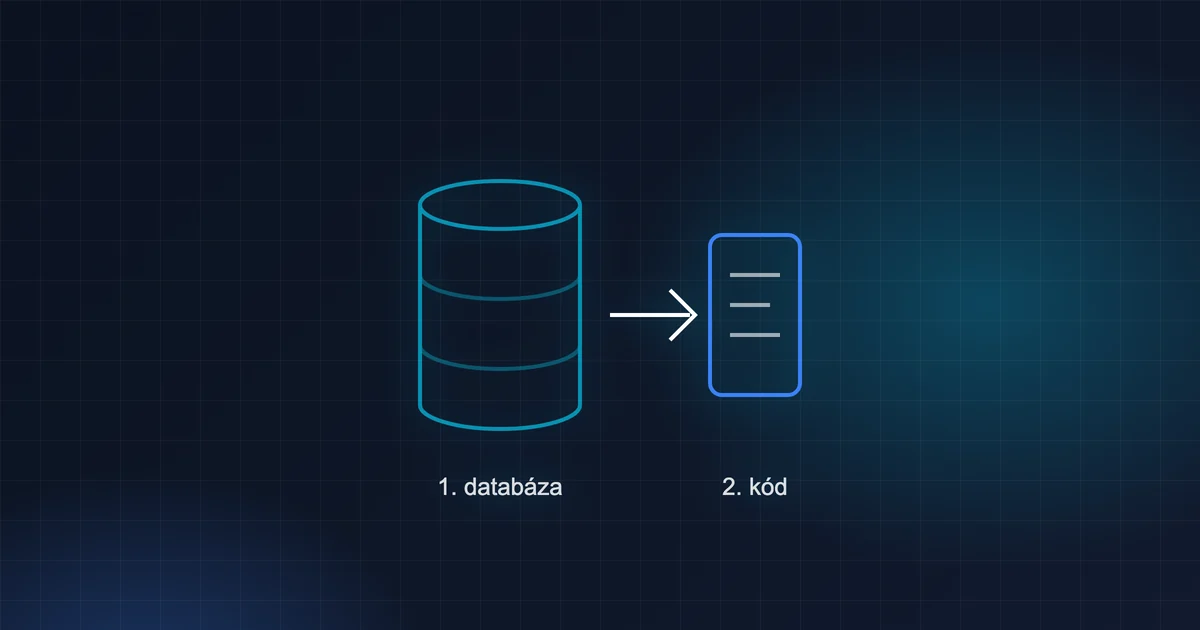
The main rule: database first, then code
Imagine the new version of your application reads the column splatnost_dni. If you deploy the code before adding the column, every request that needs it will fail. If you add the column first, the old version of the application simply ignores it and the new one starts using it once deployed.
Therefore:
- Migration — add what the new code needs.
- Verification — look directly in the database to confirm the change really is there.
- Code — deploy the new version.
The reverse order = an outage.
Forward-only migrations
A good migration is additive: it adds something and takes nothing away.
- ✅ a new table (
CREATE TABLE IF NOT EXISTS) - ✅ a new column with a sensible default value or
NULL - ✅ a new index
- ⚠️ renaming a column or a table
- ⛔ dropping a column or a table in the very same release
Why? During deployment, the old version of the code keeps running for a while too. And if you had to roll the code back, the old version must still work with the database.
How to rename or delete safely
Spread it across several releases:
- Release 1: add the new column. The code writes to both the old and the new one and reads from the old one.
- Release 2: migrate the data. The code reads from the new one.
- Release 3 (a little later): drop the old column once you are sure nothing uses it.
It's slower, but it will never catch you out.
Idempotency: a migration run twice must do no harm
It happens that you run a migration a second time by mistake. Or an automated process runs it on a new instance. A good migration copes with that:
CREATE TABLE IF NOT EXISTS ulohy_stitky (
  uloha_id INTEGER NOT NULL,
  stitok TEXT NOT NULL,
  PRIMARY KEY (uloha_id, stitok)
);

-- data migration: add the permission only where it isn't present yet
UPDATE roly SET prava = json_insert(prava, '$.faktury[#]', 'spravovat')
WHERE EXISTS (SELECT 1 FROM json_each(roly.prava, '$.faktury') WHERE value = 'upravit')
  AND NOT EXISTS (SELECT 1 FROM json_each(roly.prava, '$.faktury') WHERE value = 'spravovat');
The second run changes nothing. That's exactly what you want.
Watch out: in SQLite, ALTER TABLE … ADD COLUMN has no IF NOT EXISTS. A second run ends with a “duplicate column” error — it won't harm the data, but make a note of it so it doesn't take you by surprise.
Before the migration: a safety line
- A backup or a restore point. Some databases (for example Cloudflare D1) can restore the state to a specific moment. Write that point down before the change.
- The state before. A simple
SELECTthat shows what the data looks like now. - A trial run on a copy. Run the migration first on a copy of the production data. Add some “odd” rows to it as well — empty values, wrong formats, old records.
After the migration: verification, not faith
After running it, ask the database directly:
SELECT COUNT(*) FROM roly WHERE … ; -- did what was supposed to change actually change?
Never say “the migration is in production” because you ran the command. Say it because of what you saw in production.
Data migrations and “nothing changes for anyone”
The most sensitive migrations are those that change existing data — for example when you introduce a new permission. A good trick: switch on the new behaviour so that nothing changes for anyone after deployment. Everyone who has had access until now gets the new permission automatically. You can narrow it down only afterwards, deliberately, person by person.
Users won't notice a thing — and that is exactly the goal.
And what about new instances?
If your application runs for several customers (each with their own database), migrations must also work on a brand-new instance. That's why it's good if they can all be run one after another from the beginning and the result is the same as on an old, gradually updated database. Try this regularly on an empty database — it exposes migrations that silently assumed existing data.
Checklist before every migration
- The migration is additive, or I have a plan spanning several releases.
- A second run breaks nothing.
- I have a restore point written down or a fresh backup.
- I have tried it on a copy of the data, including “odd” rows.
- I know which query I'll use to verify the result.
- Order: migration → verification → code.
- I know how to roll back the code if the new version doesn't work — and the old version will run with the new database.
Frequently asked questions
What if I need to change a column's type?
In SQLite you can't do that directly. The procedure is to create a new table with the correct structure, transfer the data and swap the tables. Do it in a transaction and try it on a copy first.
Do I need a migration tool?
You don't, but it helps to keep track of which migrations have already run. Even a simple table or a list for each version of the application will do.
In closing
A migration isn't a moment for courage but for order. Database first, then code. Only add; delete later. A backup before, verification after. With these four rules, I have yet to have an outage that users noticed.